How AI Helps Improve Video Quality and Editing: A Simple Guide For Better Videos
Author:Mike Fakunle
Released:September 21, 2025
AI video enhancer tools are now used by beginners and experts who want cleaner, sharper, and more stable videos. Many creators want fast results without learning complex software, and AI offers that support by fixing problems that were once hard to solve.
People use AI because it makes video editing easier, faster, and more accurate. It also gives users strong features once found only in studios. With the right steps, anyone can improve the look, sound, and feel of a video.
How AI Supports Real Video Needs
What Viewers Want Fixed
Many users deal with blur, noise, dull color, shaky movement, or low resolution. AI video quality improvement tools address these issues by analyzing each frame and automatically selecting the right fix.

What AI Adds That Normal Editing Misses
Traditional software relies on manual changes. AI video editing tools study patterns, objects, and movement. This helps the tool decide where clarity, light, or color needs support, saving time while keeping the look natural. This type of automated support is common in well-known systems, such as Adobe's editing tools.
How AI Improves Video Quality
Understanding How AI Studies Footage
AI checks brightness, motion, sharpness, and noise. This process helps detect weak spots like grain or blur and applies smart repairs without changing the video style.
Automatic Fixes That Save Time
AI video enhancer systems remove grain, clean shadows, and sharpen edges. These features help when footage comes from phones, webcams, or low-budget cameras.
Key Features That Make AI Video Quality Improvement Useful
AI Upscaling For Sharper Results
Video upscaling AI turns low-resolution clips into HD or 4K. It does this by generating new details from learned patterns in large visual datasets. This helps old or low-quality clips look more modern.
Color Repair And Light Adjustment
AI video editing tools fix faded color, washed-out lighting, and unbalanced tones. The tool selects the right color mix and adjusts exposure, often matching the natural style of high-quality footage. Strong color processing is supported by many cloud systems, including those running on advanced hardware such as Nvidia chips.
AI Video Stabilizer Support
Shaky clips are common when recording on the move. An AI video stabilizer reads movement across frames and keeps the shot steady. It works even when the camera shakes heavily.
Smart Texture Recovery
AI video enhancer software fills in missing details, sharpens faces, and improves the edges of objects. This helps when recording happens in dark rooms or crowded locations.
How AI Enhances Audio In Videos
Noise Cleaning For Clearer Speech
AI removes hums, echoes, fan noise, and outdoor sounds. This helps dialogue stand out and makes the entire video easier to follow.
Level Balancing
AI analyzes speech patterns and adjusts loudness to keep the voice even. This helps clips recorded with phones or basic microphones.
Better Voice Clarity
AI highlights spoken words and reduces harsh tones. The final result sounds cleaner without changing the speaker’s natural voice.

How AI Makes Editing Faster
Auto Cuts And Scene Detection
AI finds scene changes and removes empty or repeated parts. This helps shorten long recordings into clean clips ready for posting. Services that power cloud editors often rely on large data tools from groups like Google to process scenes quickly.
Easy Caption Creation
Speech recognition creates quick subtitles in many languages. This helps creators share videos with a wider audience.
Smart Templates
AI video editing tools use style patterns to match brand colors or short-form styles. These presets speed up social platform editing.
Fast Background Removal
AI replaces backgrounds without a green screen. It reads outlines around the subject and places them in a new setting.
How Different Groups Use AI Video Editing Tools
Short-Form Creators
AI supports TikTok and Instagram clips by fixing blur, sharpening faces, and keeping colors bright. This helps every clip look polished before posting.
Marketing Teams
Teams use AI to produce product demos and ads faster. AI keeps brand style consistent and reduces the time spent correcting light or color.
Teachers And Course Creators
Clearer sound and sharper slides help students understand lessons. AI video quality improvement tools support stable and readable visuals.
People Restoring Old Footage
Video upscaling AI helps repair grainy clips and renew faded colors, making old memories easier to watch and share.
Choosing The Right AI Video Enhancement Tool
Important Features
New users should look for auto-enhance settings, batch fixes, and support for HD or 4K exporting. A clean layout also helps with fast editing.
Cloud Or Software
Cloud tools run on remote computers, which helps when devices are slow. Software tools work offline and offer more control during editing.
Using AI To Improve Video Quality Step By Step
Step 1: Import Footage
Open the tool and upload the clip into the workspace.
Step 2: Choose The Features Needed
Pick noise cleaning, color repair, AI video upscaling, or stabilization based on what the footage needs.
Step 3: Preview The Fixes
The preview helps confirm that the look stays natural.
Step 4: Adjust Manually If Needed
Users can adjust brightness, color strength, or sharpness to achieve a balanced look.
Step 5: Export The Final Version
Save the updated clip in the format that fits the project.
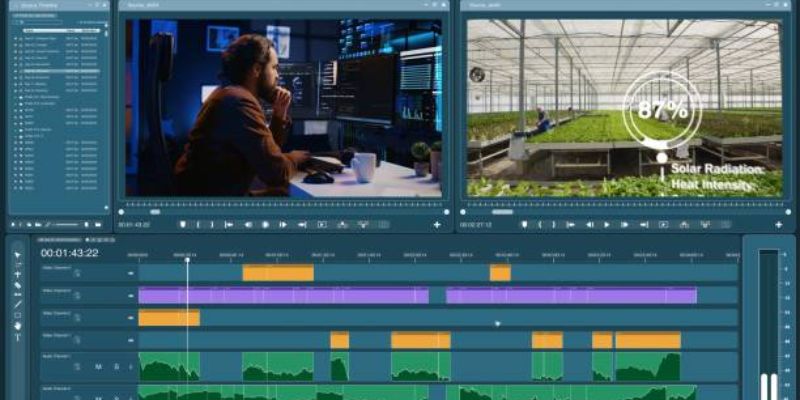
Limits of AI Video Editing
Where AI May Struggle
Very dark clips, fast motion, or damaged footage may not reach perfect quality because the tool cannot always rebuild missing details.
Why Human Choices Still Matter
AI cannot decide style or emotion. Color mood, pacing, storytelling, and creative choices still rely on the editor.
Why AI Helps Improve Video Quality More Than Ever
AI makes it easier to fix blur, clean color, stabilize motion, and rebuild missing detail. These tools help users work faster and create smoother footage across many devices. With support from evolving systems and strong hardware improvements, AI continues to offer better clarity and faster workflows without raising editing skill requirements.
Sources
Don't Miss

How AI Is Changing Music Creation And Production Today

AI In Fashion: How Brands Predict Trends Faster Than Ever

How AI Customer Service Transforms E-commerce: Complete Guide

Finding The Right System Integrator: 10 Questions To Ask Before You Hire

How AI Enhances Online Shopping Personalization In Ways Shoppers Notice Every Day